Current Date: 10 June, 2026

14 photo editing details that were easier to spot than expected

Photo editing can be useful when it improves lighting, color, or small distractions, but sometimes the changes become easier to notice than the photo itself. These examples show how filters, smoothing tools, reflections, and reshaping effects can leave behind visual clues. The funny part is not the person in the picture, but the editing choices that became too obvious. From filter overlap to forgotten reflections, each moment shows why subtle edits usually look more natural than dramatic ones.

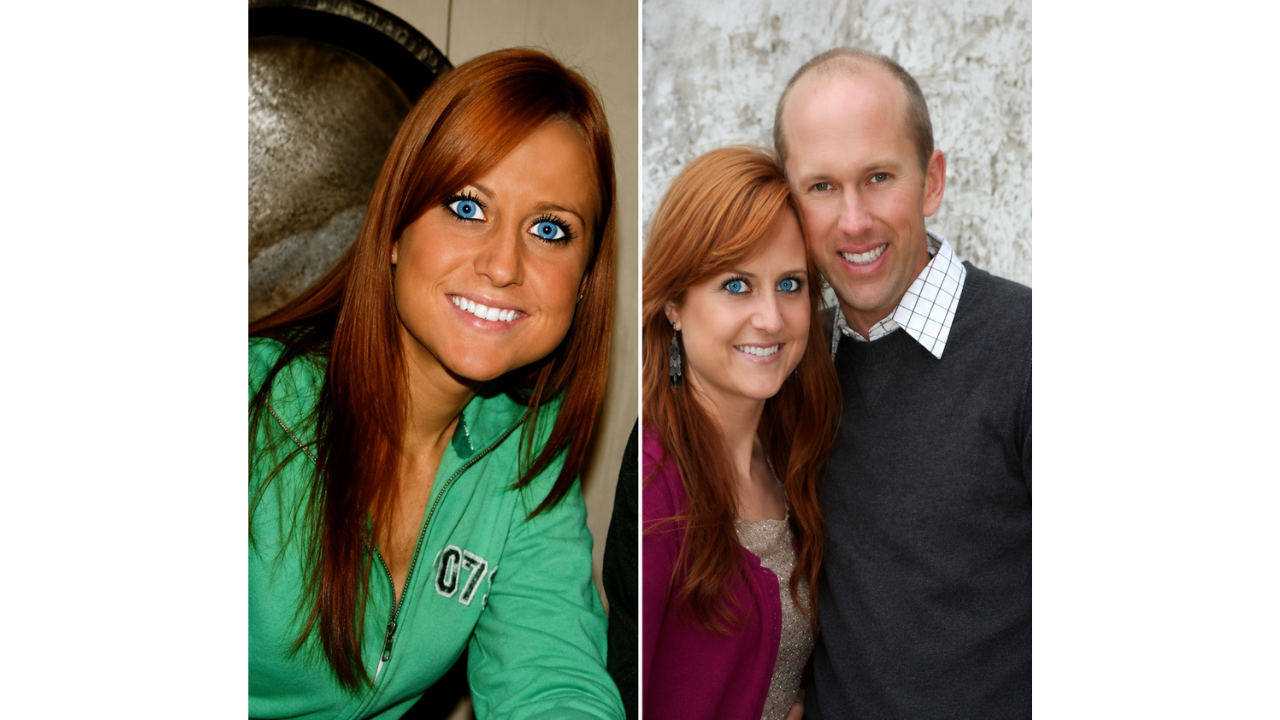
1. Oversized eye filter changes the photo
1. Oversized eye filter changes the photo
© MTVs Ridiculousness

Large-eye filters can create a soft animated effect, but this edit pushes the look far beyond a natural result. The filter draws attention away from the rest of the image, making the change easy to notice. Instead of blending into the photo, the effect becomes the main detail. It is a clear example of how one popular editing trend can quickly become too visible.

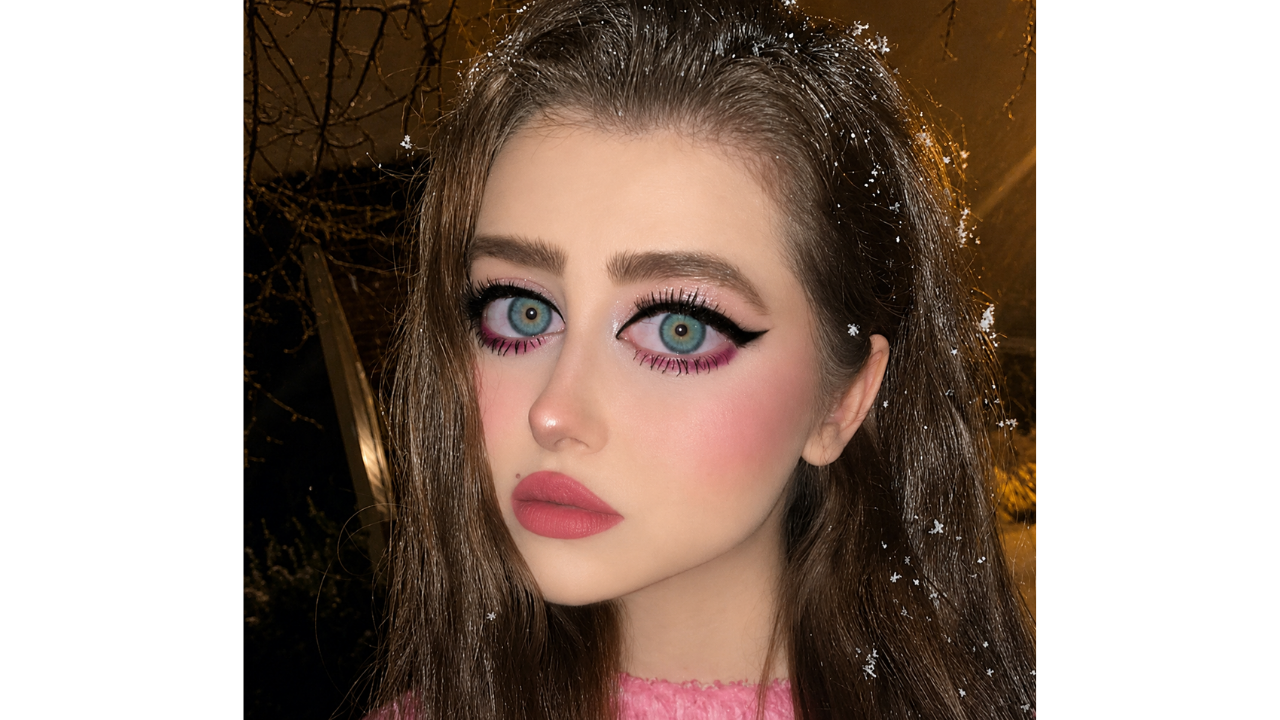
2. Heavy eye filter removes natural detail
2. Heavy eye filter removes natural detail
© Reddit / posey98

This edit gives the eyes a smooth, painted look that removes much of the natural texture people expect to see in a close-up photo. The final result looks less natural than intended because the filter becomes so noticeable. The effect may have been used to brighten the image, but it ends up drawing attention to the editing instead. A softer adjustment would have kept the photo more balanced.

3. Heavy smoothing makes the edit noticeable

3. Heavy smoothing makes the edit noticeable
© Reddit / chiiisai

The smoothing effect in this photo appears strong enough to remove many of the small details that make a portrait feel natural. Filters can be helpful in moderation, but too much smoothing can make the image look more edited than casual. The issue is not the person in the picture, but how much texture the tool seems to remove. A lighter touch would have made the edit less obvious.

4. Edited selfie appears next to a natural comparison
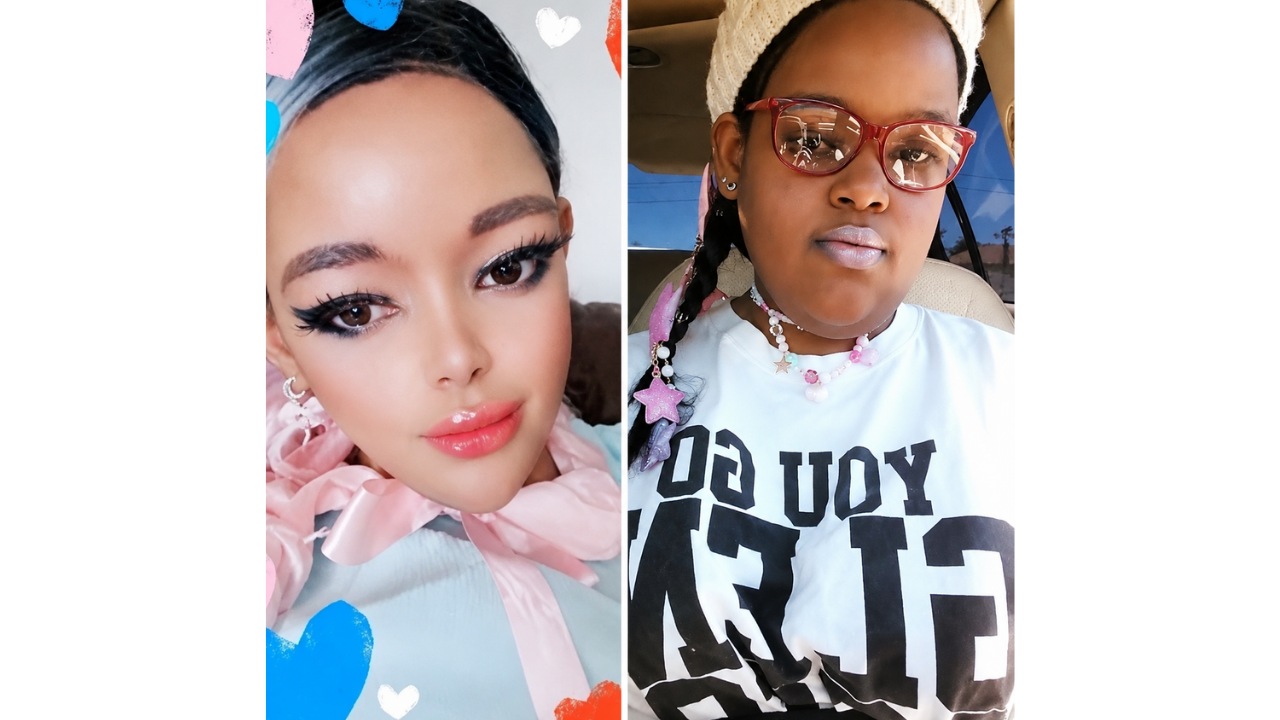
4. Edited selfie appears next to a natural comparison
© MTVs Ridiculousness

This example stands out because the edited photo and a more natural-looking comparison appear noticeably different. When two images are placed side by side, changes in smoothing, shape, or lighting can become easier to spot. The focus is less on appearance and more on how comparison images reveal editing choices. A more subtle edit would have made the difference feel less noticeable.

5. Heavy editing creates a noticeably different look
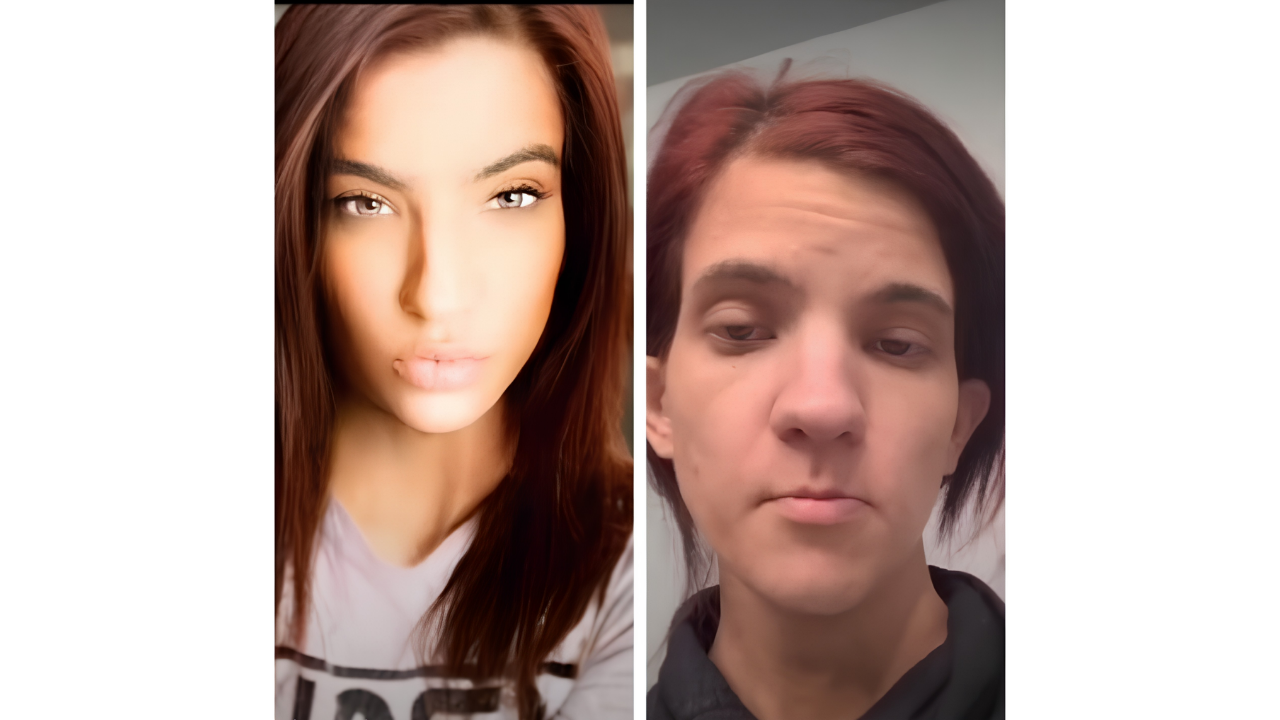
5. Heavy editing creates a noticeably different look
© Reddit / koshka 69

Some edits combine smoothing, shaping, and filters in a way that changes the overall look of the photo. In this example, the final image appears much more stylized than the original view. That can make the photo stand out online, but it may also make the editing easier to notice. Edits usually feel more convincing when they still preserve the natural details of the original image.

6. Reflection reveals the original image
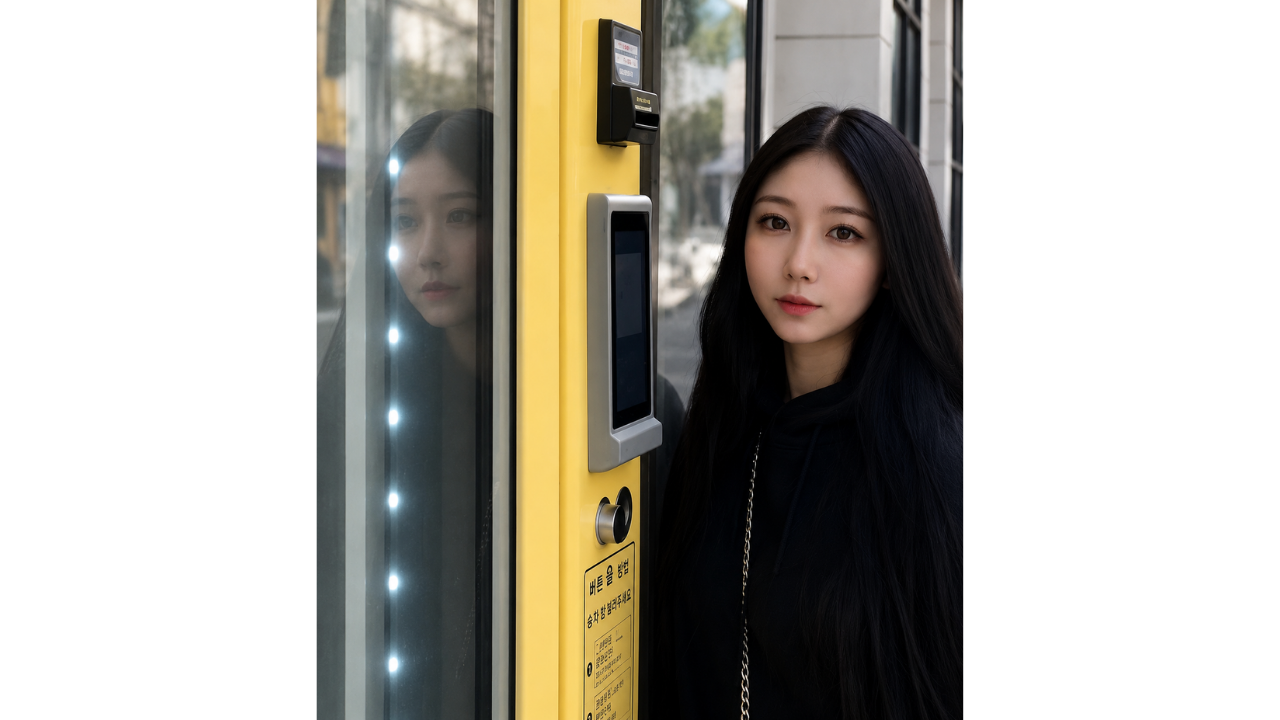
6. Reflection reveals the original image
© Reddit / dante marlvin

This photo shows one of the most common editing mistakes: changing the main image while forgetting the reflection. The edited face and reflected face no longer match, which makes the alteration easy to spot. Mirrors, glass, and shiny surfaces can reveal details that filters do not cover. That small background clue ends up telling the whole story.

7. Older and newer edits show a visible shift
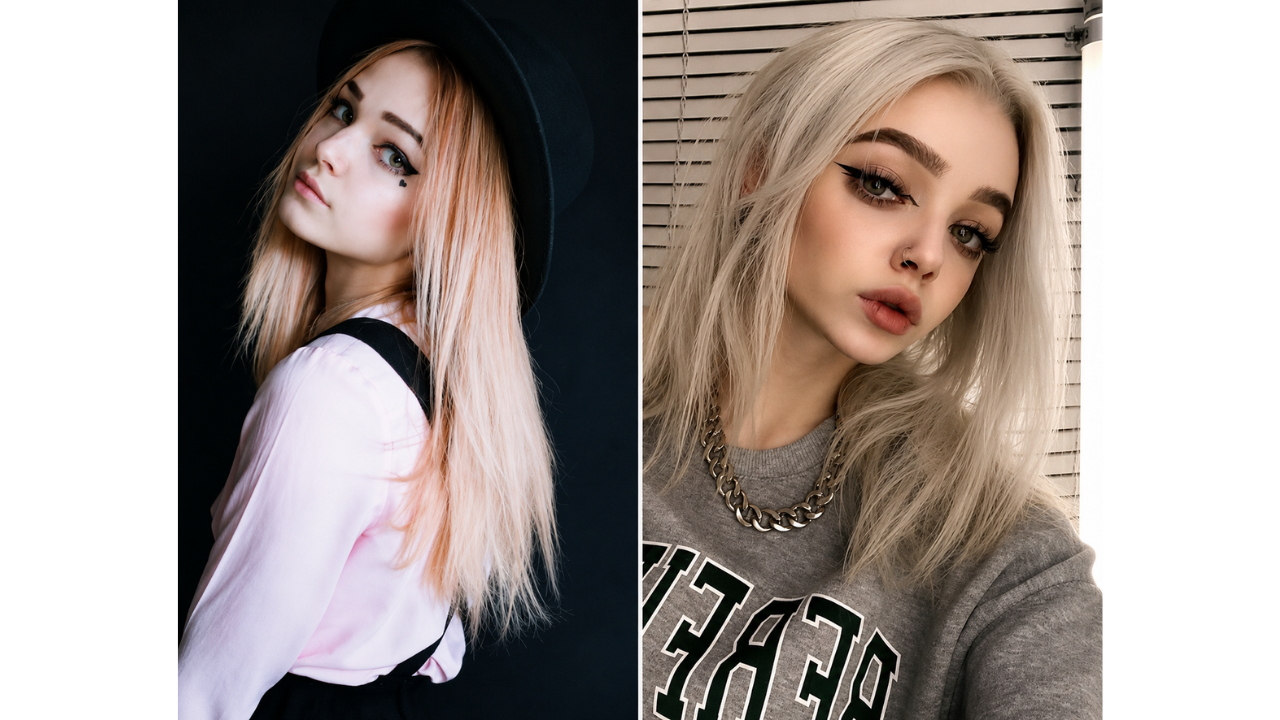
7. Older and newer edits show a visible shift
© Reddit / jakunai

Side-by-side photos can make changes in editing style easier to notice over time. In this case, the newer image appears to use stronger filters, sharper adjustments, and a more stylized finish. The comparison stands out because the earlier photo already looked clear and natural. It shows how editing habits can become more noticeable when older and newer images are viewed together.

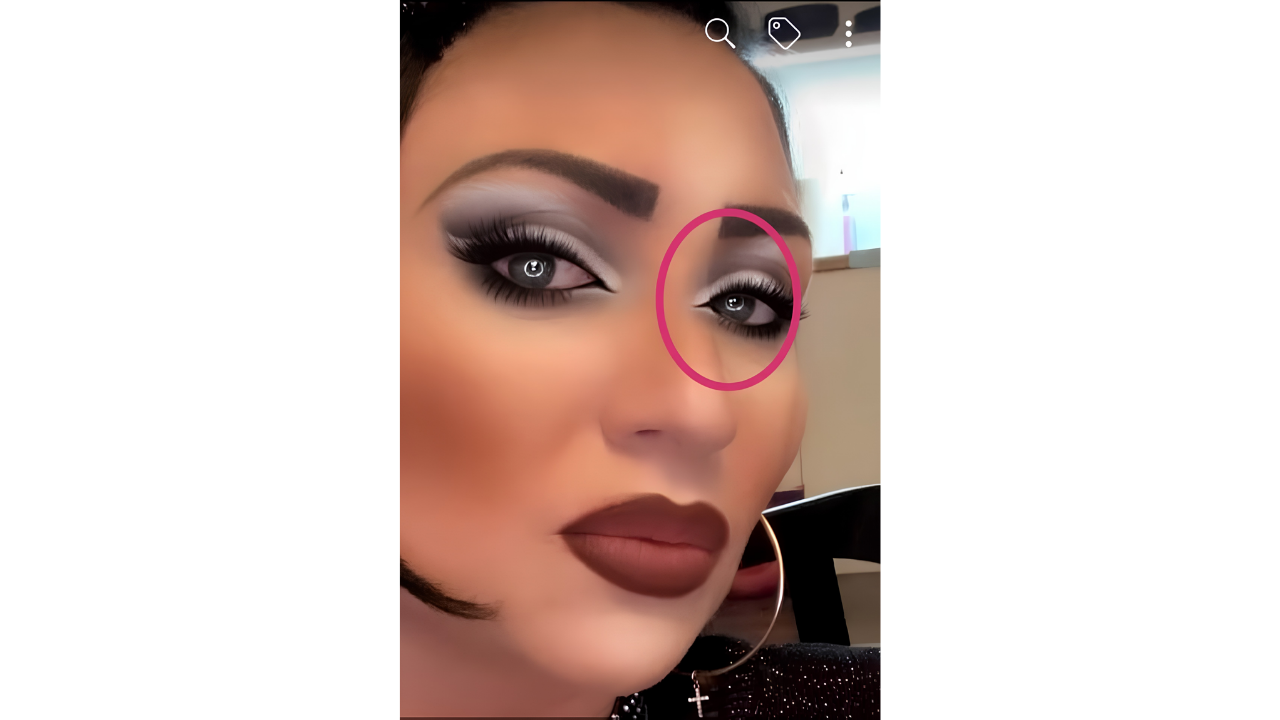
8. Eye filter slips onto the nose

8. Eye filter slips onto the nose
© Reddit / admirable flow

This edit stands out because part of the eye effect appears to overlap with the nose. It is a small technical mistake, but once noticed, it becomes hard to ignore. Filters can be quick and convenient, but they do not always follow facial lines perfectly. The result is funny because the small glitch gives away the edit instantly.

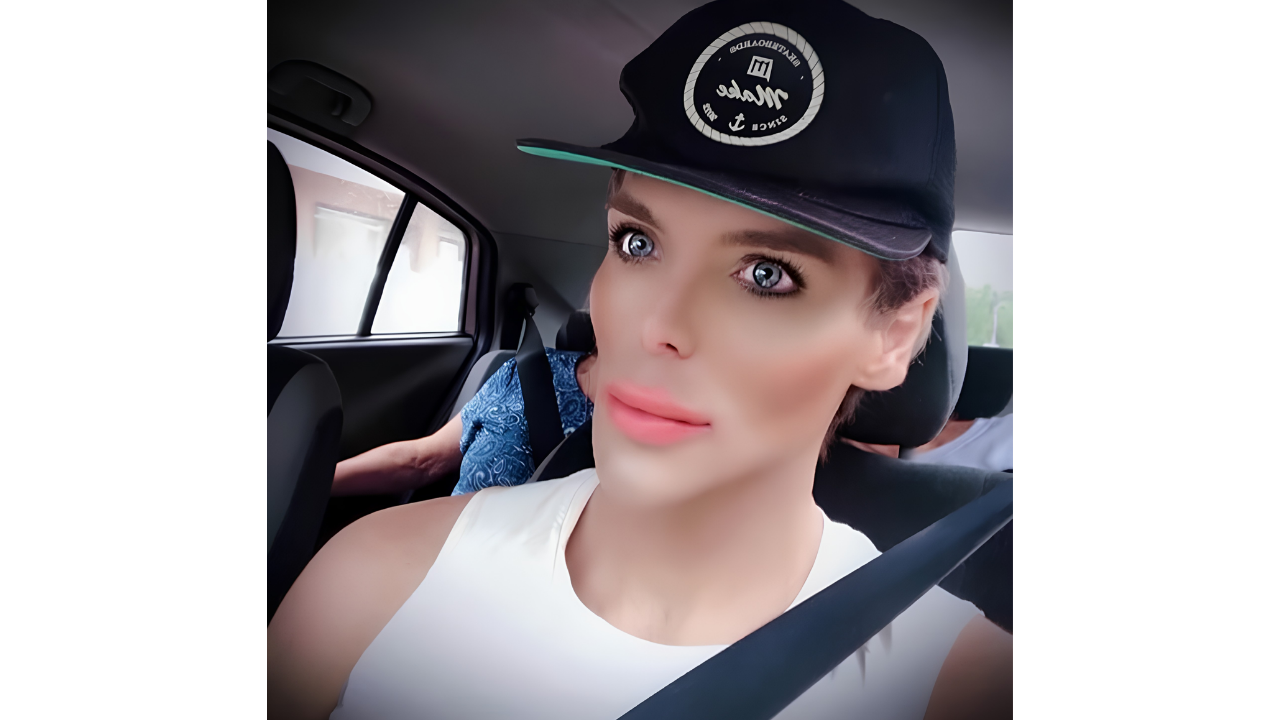
9. Enlarged-eye edit goes beyond subtle
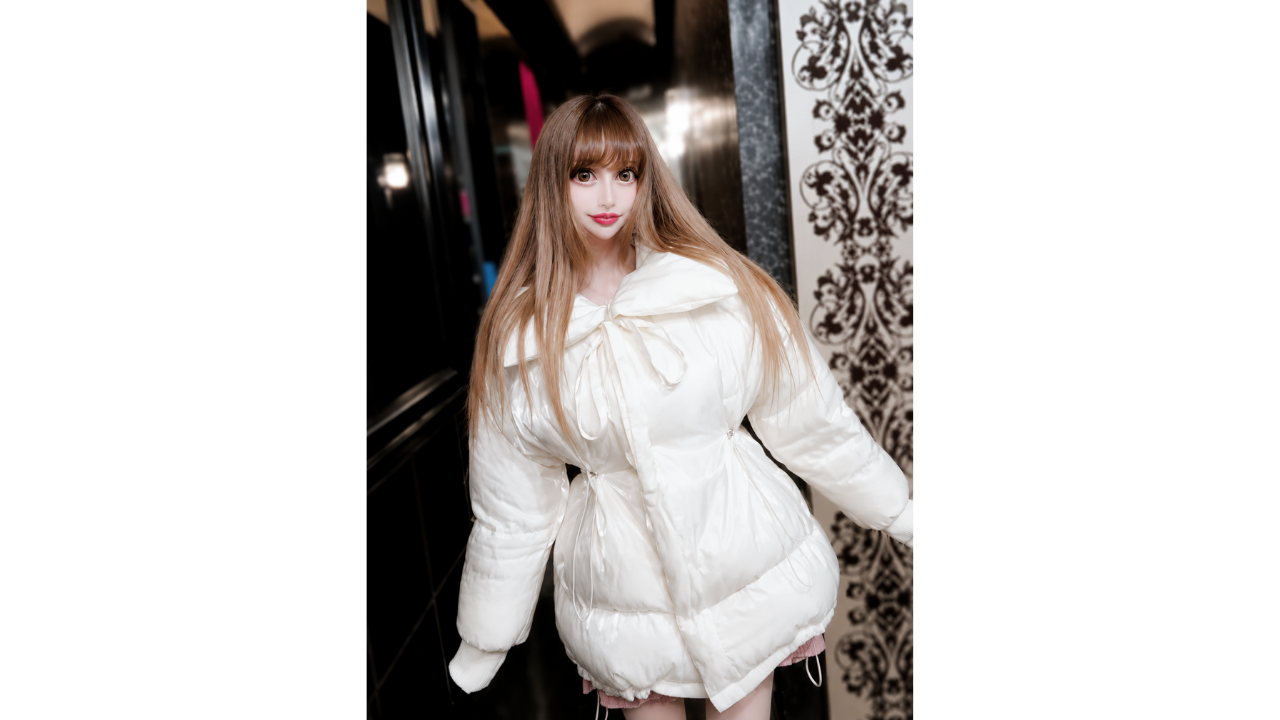
9. Enlarged-eye edit goes beyond subtle
© MTVs Ridiculousness

This photo uses a highly stylized effect with enlarged eyes and a sharply adjusted face shape. Since the edit is so strong, it feels more like a creative character-style look than a subtle photo enhancement. That makes the image memorable, even if the result is not realistic. It shows how editing can quickly move from light touch-up to fantasy-style effect.

10. Video comparison makes the edits easier to notice
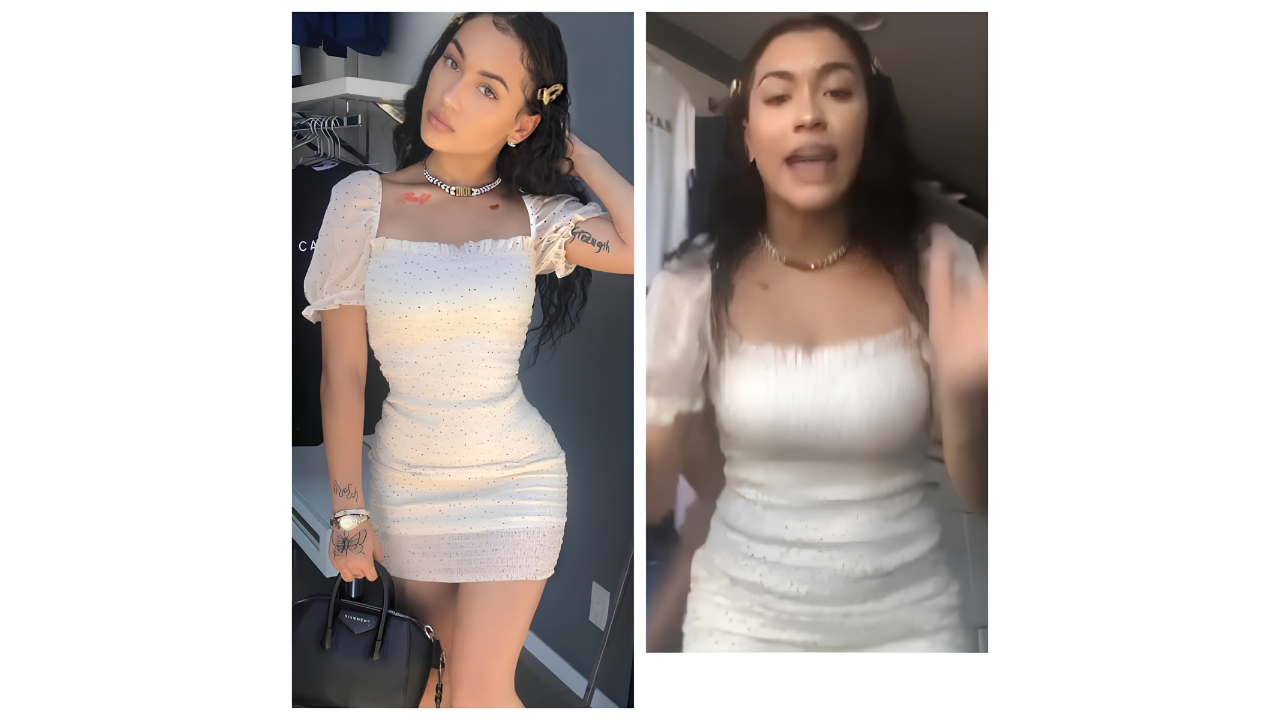
10. Video comparison makes the edits easier to notice
© MTVs Ridiculousness

Still photos can be edited carefully, but videos often make heavy changes harder to hide. This example became noticeable when the edited photo and the video did not appear to match. The difference suggests that the still image used visible adjustments that were not present in motion. It is a useful reminder that consistency matters when posting edited photos online.

11. Hairstyle edit removes important details
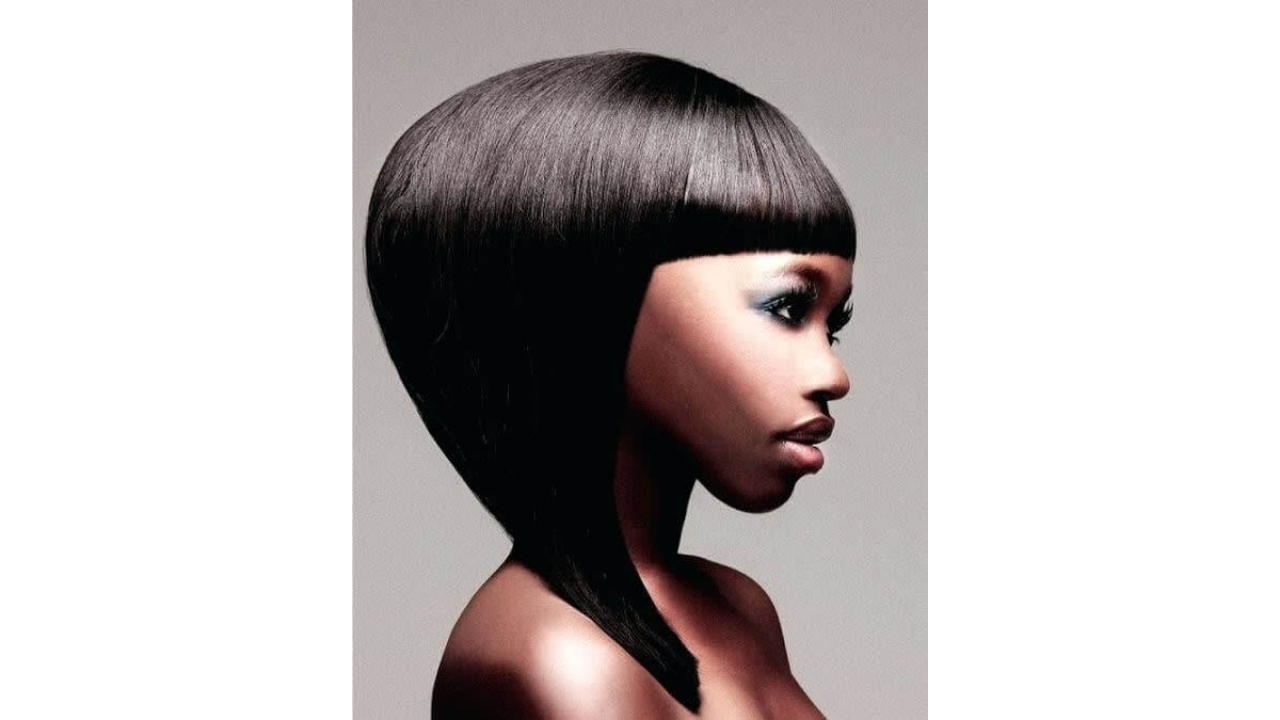
11. Hairstyle edit removes important details
© Reddit / DungeonsandDoodles

This hairstyle reference became confusing because the edit appears to change the outline around the ears and jaw. The hair also looks unusually solid, which makes the texture harder to read as a natural style. Instead of helping viewers understand the haircut, the edit makes the image less clear. A more realistic reference would make the hairstyle easier to imagine.

12. Family portrait shows matching filter effects
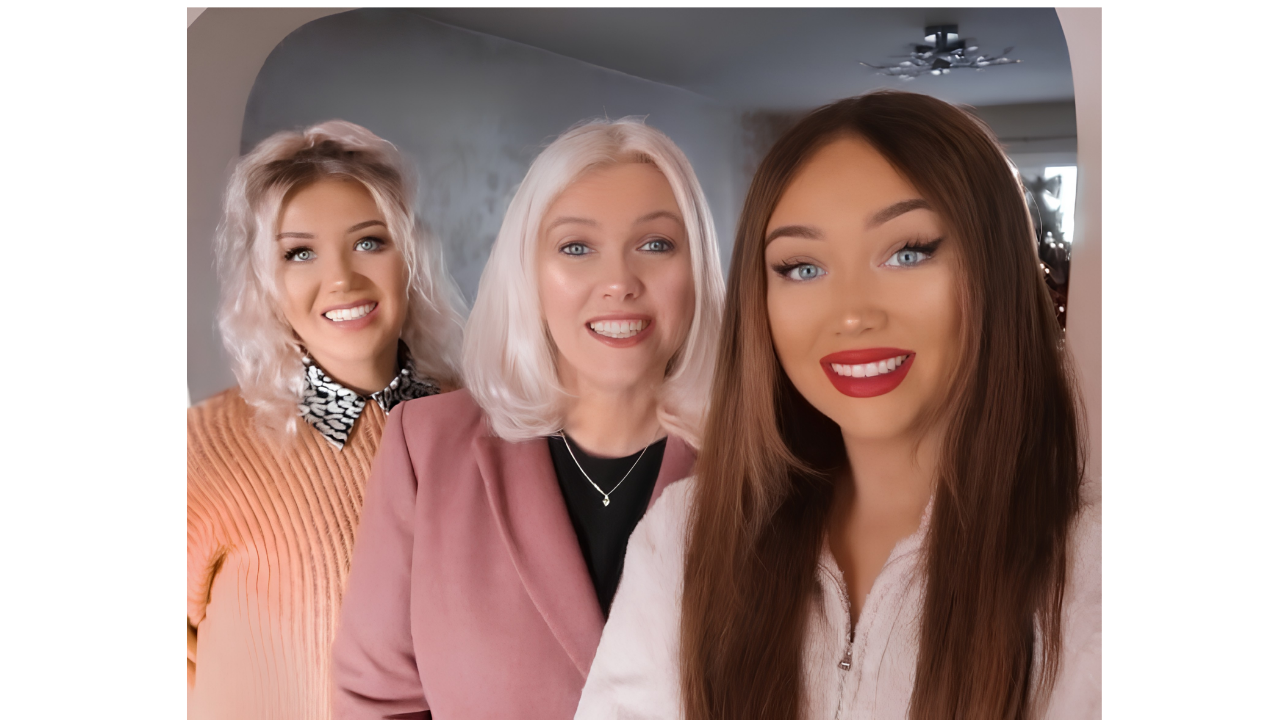
12. Family portrait shows matching filter effects
© Reddit / anisha jet pat

A family portrait can feel warm and natural, but this image appears to use the same smoothing effect across the group. The matching filter makes the edit more noticeable because several faces seem to share the same softened texture. Portrait edits usually work better when they preserve expression, detail, and natural variation. In this case, the shared filter becomes the detail that stands out most.

13. Campaign photo appears heavily polished
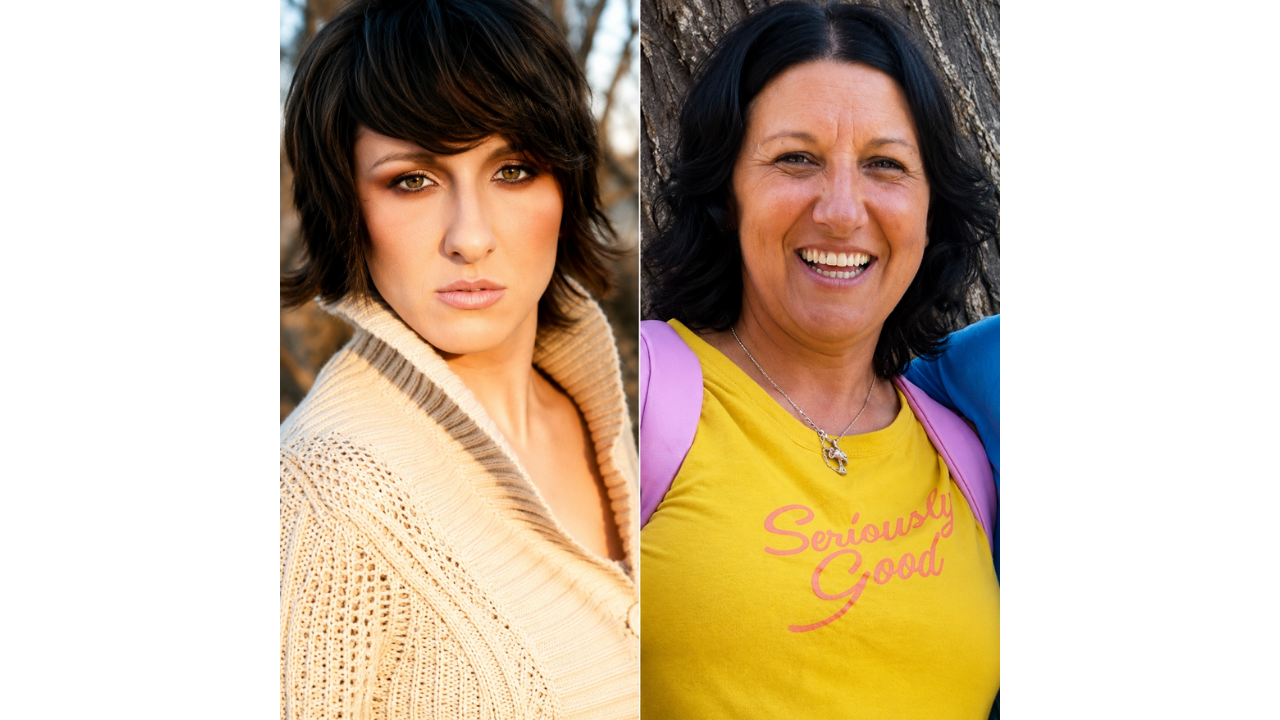
13. Campaign photo appears heavily polished
© Reddit / e lime pie

A public campaign photo often benefits from looking clean and professional, but the edit still needs to feel realistic. This image appears so polished that the editing becomes noticeable before the message. Strong smoothing can make viewers focus more on the finish than the purpose of the photo. A cleaner but more natural edit would usually feel more balanced.

14. Smoothing tool removes too much texture
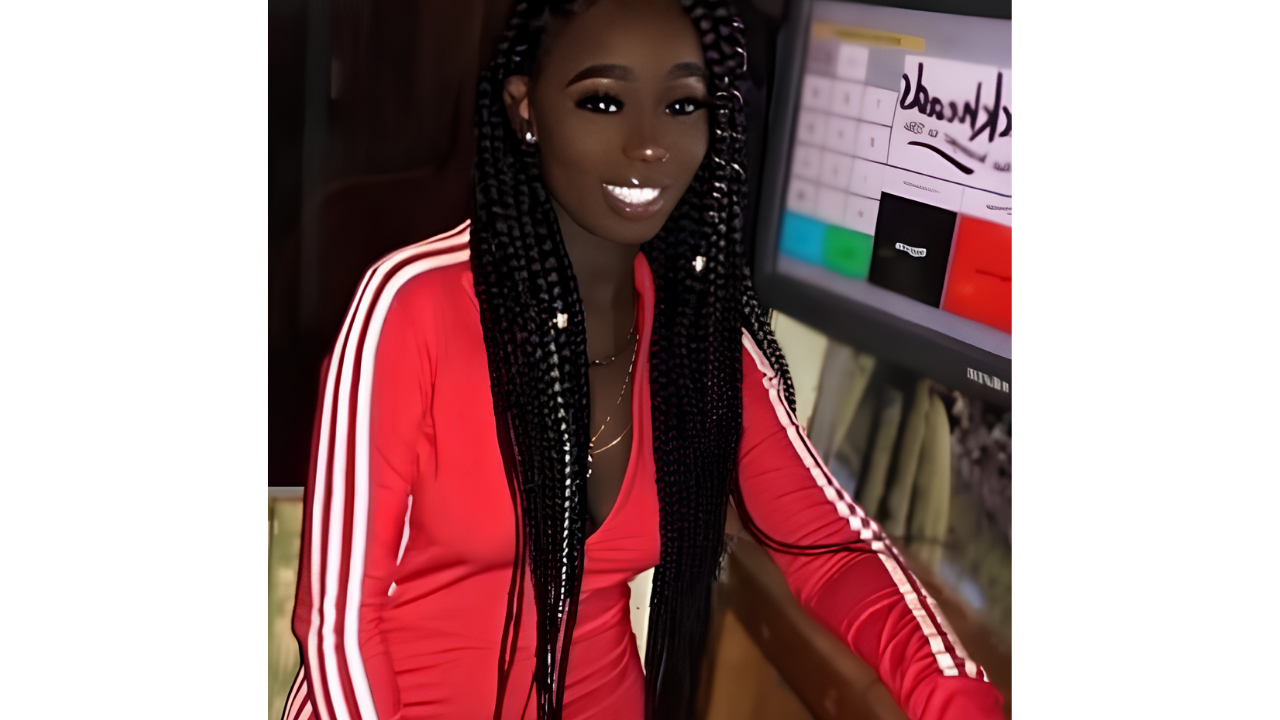
14. Smoothing tool removes too much texture
© Reddit / alien prince 1

This photo shows what happens when a smoothing tool becomes too strong. Several facial details appear heavily softened or brightened, which makes the overall image look less natural. A small touch-up might have blended in, but the stronger effect makes the edit easy to spot. The photo would likely feel more polished if more real texture had been left in place.

Comments (0)

No comments yet. Be the first to share your thoughts!

Leave a Reply